Assets

One inventory for every connected account, not one spreadsheet per provider

Once a scan target is connected, its resources appear in a single inventory: buckets, databases, instances, identities, networks — filterable by provider and category instead of scattered across provider consoles.

Blog

August 18, 2026 · 9 min read

01

What shows up once a target is connected

As soon as a scan target's first assessment completes, the resources it owns are enumerated into a common inventory: storage, compute, databases, identities, and network objects, tagged with the provider and account they came from.
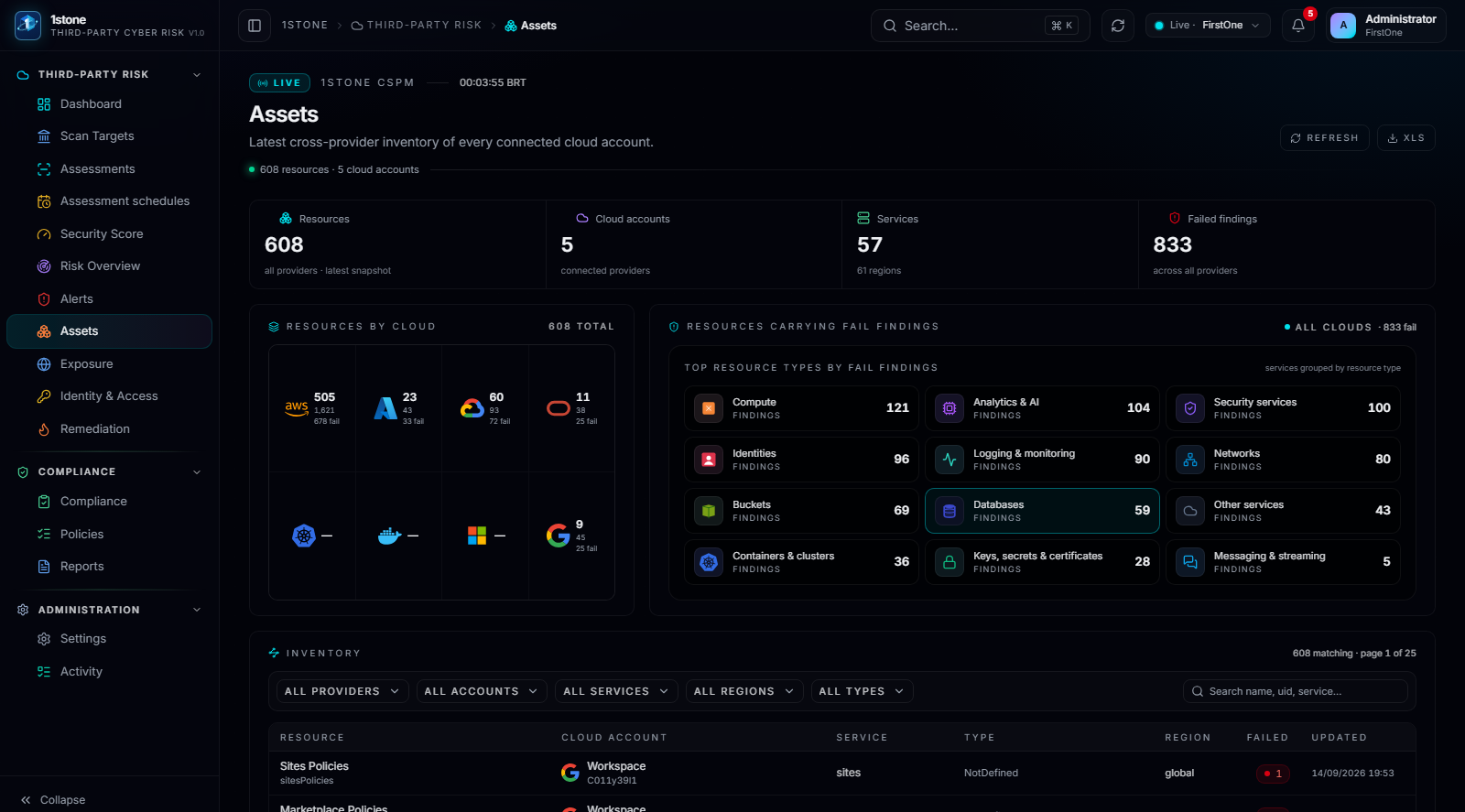
Assets: resources discovered per provider and category, with server-side filters and pagination.
02

Why one inventory beats per-provider views

A third party connected across four providers and two SaaS suites does not need four consoles reviewed separately. One inventory, filterable by provider, category and account, is what makes a portfolio review of dozens of third parties tractable.

  • Buckets, databases, instances, identities and networks in one list
  • Filters by provider, account and resource category
  • Server-side pagination for portfolios with a large asset count
1stone Research

Talk to the team about a third-party program

A working session against your actual third-party portfolio: how workspaces are created, which accounts get connected first, and what the Security Score looks like in week one.

Request a walkthrough