Risk Overview

Risk Overview: the score explained as a priority list, not just a number

A grade tells you how a third party is doing. Risk Overview tells you what to look at first to change that grade — ranked by priority and cross-referenced with exposure.

Blog

August 4, 2026 · 9 min read

01

From grade to priority list

Risk Overview takes the same evidence behind the Security Score and re-orders it around one question: what should be looked at first. Findings are ranked by severity and by their effect on the overall grade.
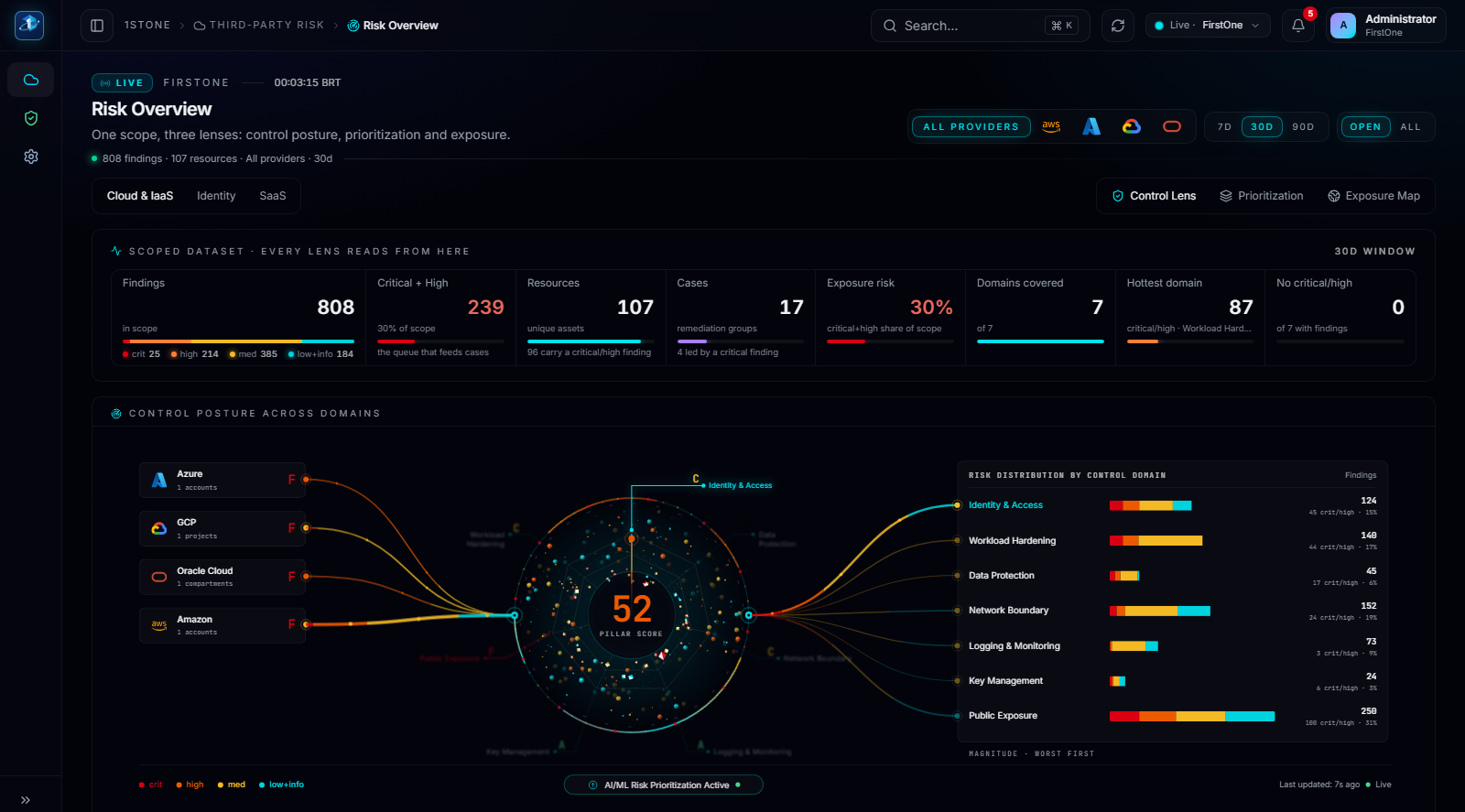
Risk Overview: score broken down by priority, ready to hand to a remediation owner.
02

Priority crossed with exposure

The same priority ranking can be cross-referenced with exposure signals — public resources, open ports, affected regions — so a reviewer can tell whether the top-ranked item is also internet-reachable, which usually decides how urgently it gets worked.

  • Findings ranked by severity and by effect on the Security Score
  • Priority view cross-referenced with exposure signals
  • Feeds directly into the fix-first remediation queue
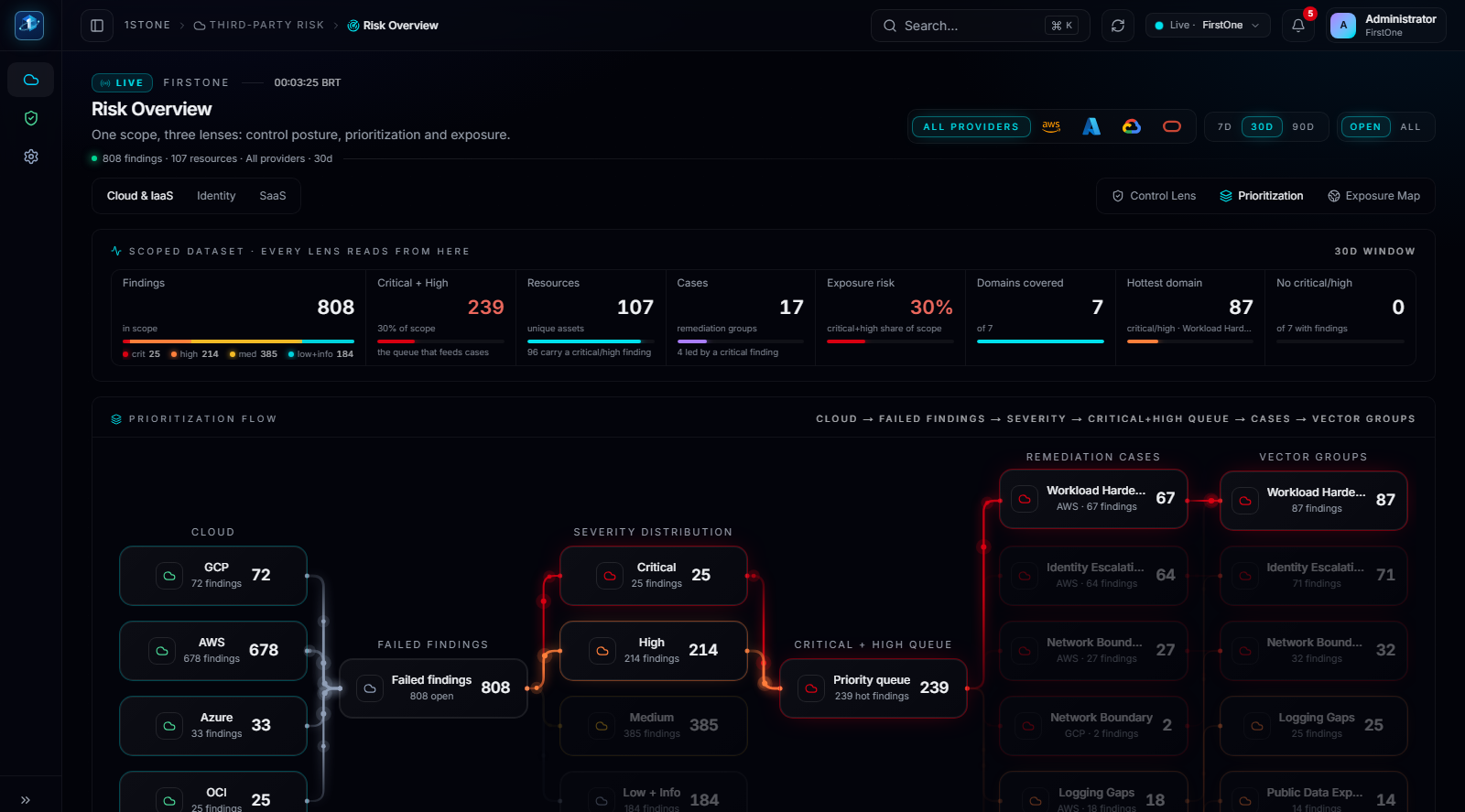
Risk Overview — Priority: the ranked list a remediation owner works from first.
1stone Research

Talk to the team about a third-party program

A working session against your actual third-party portfolio: how workspaces are created, which accounts get connected first, and what the Security Score looks like in week one.

Request a walkthrough